Building a Website in 2024: A Journey of New Modern Tools Powered by AI
When I decided to create the website for Project Sveltos - Kubernetes Multi-Cluster Add-on Operator , the first big question was: Where should I host and build it? It’s 2024, and there are so many options out there! I turned to my trusted AI companion OpenAI ChatGPT to research the Top Free Web Hosting Platforms, comparing their pros, cons, and especially their AI features. I was especially keen on finding tools that could leverage AI to speed up the process and turn my idea into a working prototype in under five minutes!
After a few hours of digging, I noticed something interesting: many web hosting platforms now offer AI-driven tools, which is great! But there was a common catch—most of them required upgrading to a paid plan to use a custom domain. I wasn’t ready to start incurring monthly expenses this early in my journey, so I kept searching.
That’s when I discovered GitHub Pages. It’s completely free, supports custom domains, and doesn’t hide any fees—perfect for my needs. Once hosting was sorted, I explored GitHub and found a fantastic free HTML template crafted with TailGrids UI components.
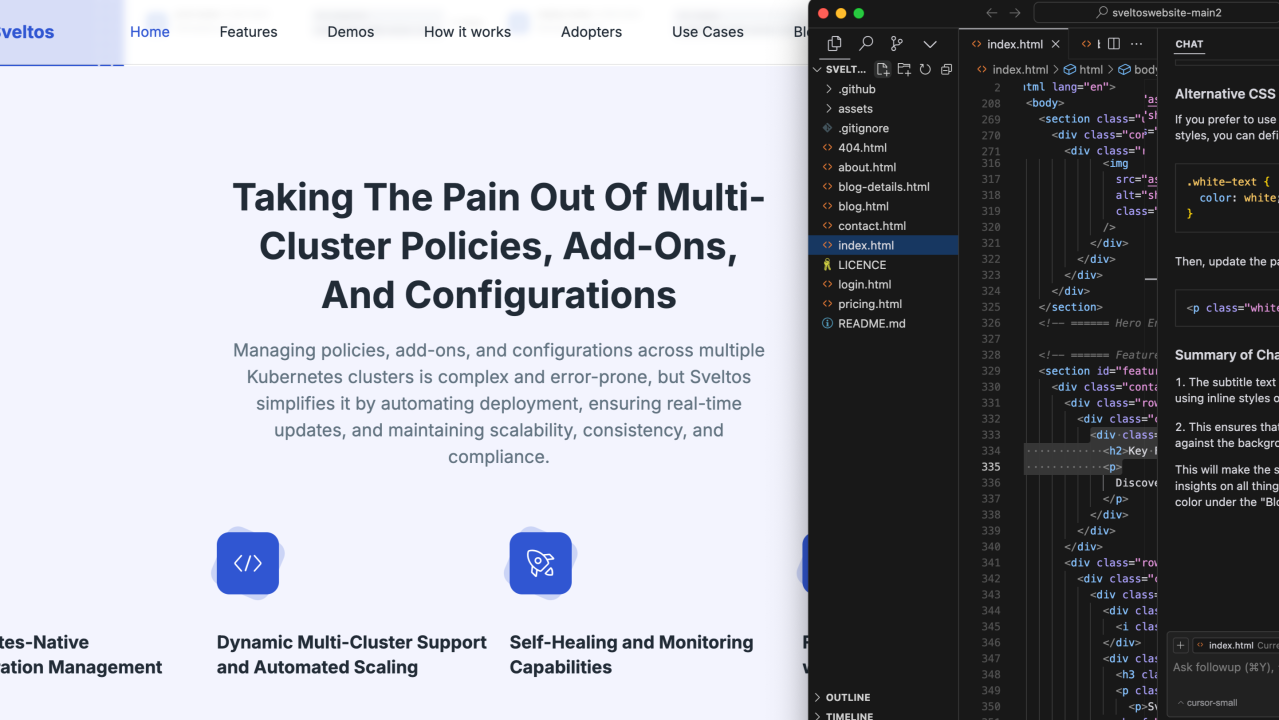
The real fun began when I customized the template. Since I was a bit rusty with HTML, I relied again on my favorite AI tools Cursor.com and ChatGPT to guide me through the process, making everything so much smoother. I also added interactive elements using tools like Loom for video walkthroughs, Storylane for interactive demos, and Formspree for the “Contact Us” form that allows me to maintain a clean, cohesive design.
It’s been an exciting journey blending free tools, AI, and creativity to bring my idea to life. If you’re curious, I also compiled all my research on the hosting platforms into a document that you can check out below. Each platform on this list offers unique strengths:
For Bloggers: WordPress provides rich content tools with an intuitive CMS.
For Businesses: HubSpot ’s free CMS is ideal for lead management and CRM integration.
For Creatives and Developers: Webflow and GitHub Pages enable extensive customization, while Netlify is excellent for static sites.
For Beginners: Wix, Weebly, and Google Sites offer simplicity and ease of use.
This table details a Deep Dive Analysis of 9 popular free web hosting platforms and summarizes their pros, cons, and standout AI-powered features to help you make an informed decision:

Deep Dive Analysis: Free Web Hosting Platforms in 2024
And here is the text version of the picture above since I can't create tables on Linkedin.
Deep Dive Analysis: Free Web Hosting Platforms in 2024
WordPress.com
Pros: User-friendly CMS with templates.SEO and performance tools on premium plans.Great for blogging and small businesses.
Cons: Limited customization and branding restrictions on the free plan. Premium plans are needed for plugins.
AI Features: Jetpack AI (premium) for content and SEO insights. AI-driven backup and optimization plugins.
Wix
Pros: AI-powered design suggestions with Wix ADI.Drag-and-drop interface for beginners.Strong e-commerce tools.
Cons: Wix branding on the free plan. Advanced AI tools are limited to paid plans.
AI Features: AI design suggestions based on user input.SEO and marketing optimization (higher tiers).
Weebly
Pros: User-friendly interface. E-commerce integration (with Square) on free plans. Mobile-optimized designs.
Cons: Design options are restricted to Square’s paid plans.
AI Features: Basic layout recommendations.Performance analysis via Square’s paid plans. Limited AI customization.
Webflow
Pros: High customization; ideal for creatives.SEO tools on free plans.Ideal for CSS/HTML users.
Cons: Branding restrictions on free plans.Higher learning curve.
AI Features: AI-driven layout suggestions and SEO insights.Content consistency guidance.
GitHub Pages
Pros: Direct version control; great for developers.Completely free for static sites.Ideal for portfolios and documentation.
Cons: Limited to static sites; no dynamic content. No AI tools for non-developers.
AI Features: GitHub Copilot (paid) for AI-powered coding. AI code completion and bug detection.
Google Sites
Pros: Integrates with Google Workspace.Collaborative and sharing-friendly.Ideal for internal sites and basic business pages.
Cons: Minimal design flexibility and templates. No custom domain on the free plan.
AI Features: AI-driven SEO insights.Basic customization for Google Suite apps.
Hostinger / WebHost
Pros: Ad-free hosting compatible with WordPress.1 GB storage and unlimited bandwidth.Simple setup.
Cons: Limited storage and bandwidth for high-traffic sites. Advanced AI tools are available only for paid Hostinger plans.
AI Features: AI-assisted website builder. AI-powered performance tracking and SEO guidance (Hostinger paid plans).
Netlify
Pros: A high-performance platform for developers.Great for static sites with Git integration.Scalable build and deployment tools.
Cons: Limited to static content.Learning curve for non-technical users.
AI Features: AI deployment and error-checking tools. AI image optimization and code analysis.
HubSpot
Pros: Free CMS with built-in CRM.Seamless CRM integration.Ideal for lead generation and customer engagement.
Cons: Limited customization on the free plan.HubSpot branding on free-tier websites.
AI Features: AI lead scoring and marketing automation. AI-driven customer engagement and content recommendations.